Ghost Mode: Your No-Nonsense 2024 Playbook for Staying Invisible Online
Here's something most people don't think about until it's too late: every time you open a browser, load an app, or connect to public Wi-Fi, you're leaving a trail. Not a metaphorical one — a literal, timestamped, commercially valuable trail that gets bought and sold hundreds of times before you've finished your coffee.
This isn't paranoia. It's the documented business model of the modern internet. And in 2024, with data brokers operating openly and ISPs legally permitted to sell your browsing history in the US, the question isn't whether you should care about digital privacy. It's why you haven't started yet.
At HydraVault, we believe access and anonymity go hand in hand. So here's your practical, legal, no-fluff starter kit for taking back control of your online identity.
First, Understand What You're Actually Hiding From
Before you start downloading tools, it helps to understand the threat landscape. Most US internet users face three main categories of digital exposure:
Commercial surveillance — Ad networks, data brokers, and platform algorithms tracking your behavior to build profiles used for targeted advertising. This is legal, pervasive, and largely invisible.
ISP data collection — Your internet service provider can see every domain you visit. Since 2017, US ISPs have been legally allowed to sell this data without your explicit consent. If you're on Comcast, AT&T, or Verizon, your browsing history is a product.
Third-party tracking — Cookies, tracking pixels, fingerprinting scripts, and social media widgets embedded across websites that follow you from site to site, building behavioral profiles even when you're not logged in anywhere.
None of these require a hacker or a government agency. They're just the standard operating procedure of the commercial internet.
VPNs: The First Line of Defense (And What They Can't Do)
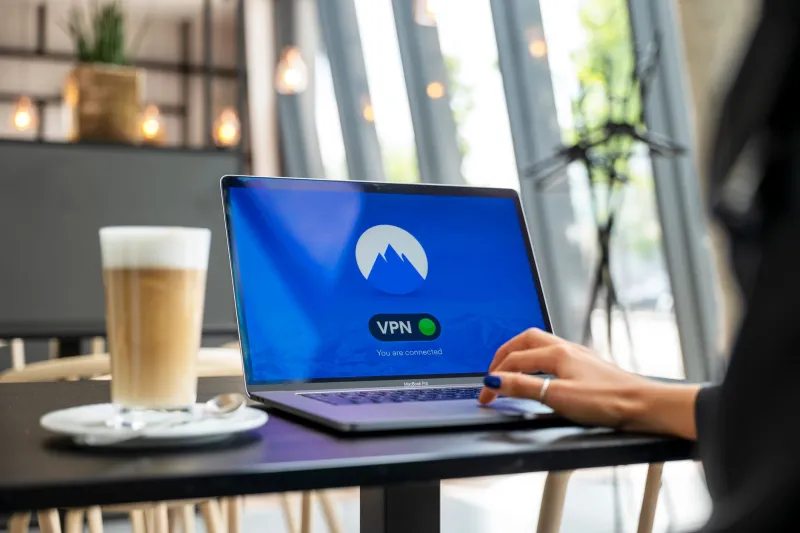
A Virtual Private Network routes your internet traffic through an encrypted tunnel, masking your real IP address and preventing your ISP from seeing which sites you visit. For most people, a reputable VPN is the single highest-impact privacy tool available.
For US users, look for providers that:
- Are headquartered outside US jurisdiction (or in a country with strong privacy laws)
- Have independently audited no-logs policies
- Don't require a real name or payment method to sign up
Mullvad and ProtonVPN are consistently recommended by privacy researchers. Mullvad in particular allows cash payments and doesn't require an email address to create an account — as close to anonymous as a commercial service gets.
But here's what a VPN can't do: it doesn't make you anonymous on platforms where you're logged in. If you're using a VPN but still signed into Google, Google still knows who you are. VPNs hide you from your ISP and casual observers — not from the platforms themselves.
Encrypted Messaging: Because SMS Is a Postcard
Regular text messages (SMS) are transmitted in plain text. Your carrier can read them. Law enforcement can request them. They're about as private as shouting across a parking lot.
Signal is the gold standard for encrypted messaging in 2024. It's free, open-source, independently audited, and end-to-end encrypted by default — meaning only the sender and recipient can read the messages. Not Signal, not your carrier, not anyone intercepting the transmission.
For email, ProtonMail offers end-to-end encrypted messages between ProtonMail users and is based in Switzerland, outside US data retention requirements. It's not perfect — emails to non-ProtonMail addresses aren't encrypted on the recipient's end — but it's a significant upgrade over Gmail, which scans your inbox to serve ads.
Browser Hygiene: The Basics Most People Skip
Chrome is a data collection tool that also browses the internet. That's not a conspiracy theory — it's Google's business model. Switching browsers is one of the easiest privacy wins available.
Firefox with a handful of extensions (uBlock Origin for ad/tracker blocking, Privacy Badger for behavioral tracking) covers most users' needs. It's fast, widely supported, and actively maintained by a nonprofit.
Brave is a Chromium-based browser with aggressive built-in tracker blocking and fingerprint randomization. It's a strong choice for users who want privacy defaults without manual configuration.
Tor Browser is the maximum-privacy option — it routes traffic through multiple encrypted relays, making it extremely difficult to trace. It's slower and some sites block it, but for sensitive browsing sessions, there's nothing more robust available to civilian users.
Additional habits worth building:
- Use a privacy-focused search engine like DuckDuckGo or Startpage instead of Google
- Regularly clear cookies, or use Firefox's Multi-Account Containers to isolate browsing sessions
- Disable location permissions for apps that don't genuinely need them
- Use a password manager (Bitwarden is free and open-source) so you're not reusing credentials
The Metadata Problem: What Your Data Reveals Without You Knowing
Here's the part most privacy guides gloss over: even with encrypted messages and a VPN, metadata can reveal a lot. Metadata is the data about your data — who you communicated with, when, how often, for how long.
A message might be encrypted so nobody can read it, but the fact that you messaged a particular person at 2am three nights in a row is itself information. Law enforcement and intelligence agencies have argued publicly that metadata is often more valuable than content.
Reducing metadata exposure is harder than installing a VPN. It involves things like using anonymous accounts, varying your communication patterns, and being thoughtful about what your digital behavior reveals even when the content is hidden.
Where to Start If This Feels Overwhelming
You don't have to do everything at once. The privacy community talks about a "threat model" — basically, what are you actually trying to protect against? A journalist protecting a source has different needs than someone who just doesn't want their ISP selling their browsing history to ad networks.
For most US users in 2024, a realistic starting point looks like this:
- Install a reputable VPN and use it consistently
- Switch to Signal for sensitive conversations
- Move to Firefox with uBlock Origin
- Switch your default search engine to DuckDuckGo
- Set up a Bitwarden account and start using unique passwords
That's it. Five steps, most of them free, all of them legal, and collectively they represent a massive improvement over the default settings most people are running on.
The surveillance economy is designed to be invisible and frictionless. Fighting back doesn't have to be complicated — it just has to be intentional.